Reports
The Reports module in the Task Manager case view allows displaying reports fetched from external and/or internal systems.
Key Features
- Displaying a list of all reports assigned to the case type
- Previewing details of individual reports
- Tracking the download status of reports from external systems
- Monitoring the dates of system data queries
Report List View
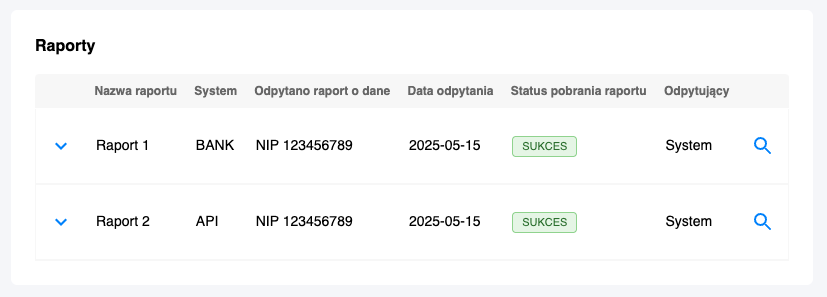
The report list is available in the Task Manager case view and includes the following columns:
- Report Name – name/type of the fetched report
- System – name of the source system
- Report Queried – date and time when the system (process) was queried for the report
- Query Date – specific date the query was performed
- Report Download Status – status of report download correctness
- Querier – user/system who initiated the report download
Report Preview
Each report from the list can be previewed in a detailed view, which enables:
- Browsing the full report content
- Analyzing the fetched data
- Verifying the accuracy of information
