Task List - Overview
The task list serves as the main interface for viewing, managing, and handling tasks in the Task Manager system. It enables users to efficiently organize work through access to all assigned tasks in one clear view.
Access to Task List
Access to the task list can be obtained in two ways:
- Task list icon in the sidebar (quick access)
- "Task List" after expanding the sidebar (full section name)
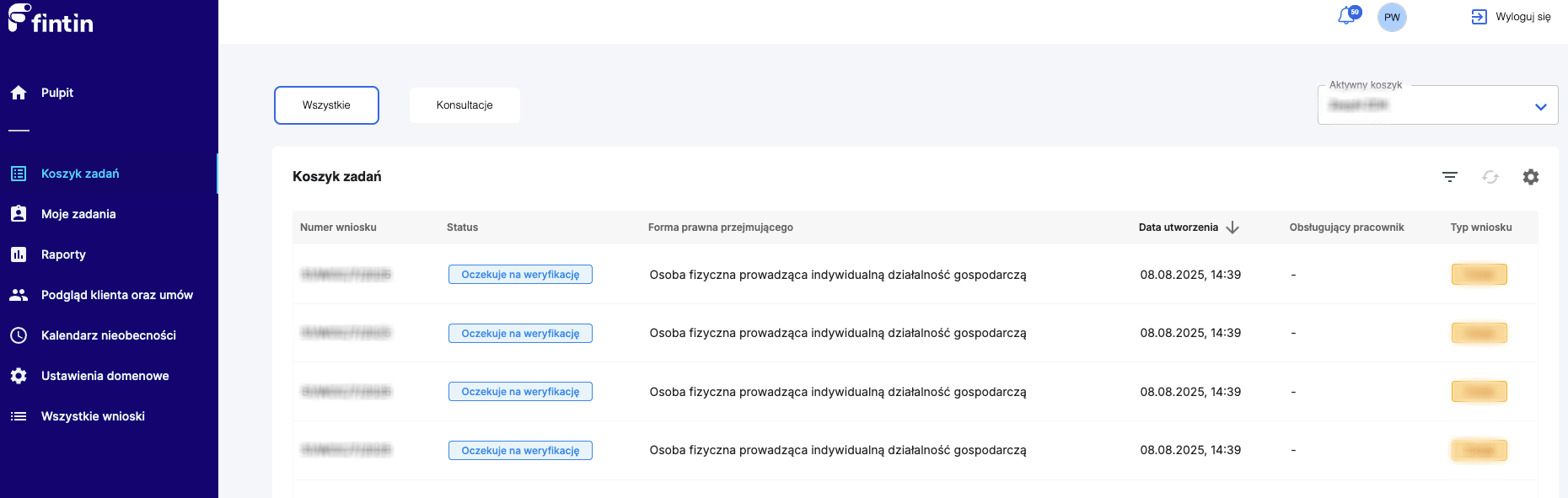
Main task list view with tasks displayed in table format
Page Header - Selection Options
At the top of the page, task filtering options are available:
- All tasks - complete list of tasks in the current basket
- Consultations - tasks related to consultation processes
- Saved filters - custom filters created by the user (details in the Basket Filtering article)
Task List View
Display Format
Tasks are displayed in table format with columns defined by the user (described in detail in the Column Visibility Settings article).
Scope of Displayed Tasks
The list shows tasks for the currently selected basket (group), whose change is described in the Changing Task Basket article.
Task Details - Sidebar
Opening Details
Clicking on any task record opens a sidebar from the right side of the screen containing:
- Most important case/task data
- Key information about status and progress
- Change history and comments
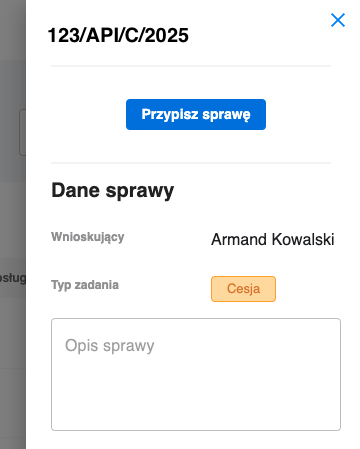
Right-side sidebar showing detailed information about the selected task
"Change Assignment" Function
The sidebar contains an "Change Assignment" action button that enables transferring the task to another user.
Assignment Change Modal
After clicking "Change Assignment", a modal opens with the following functionalities:
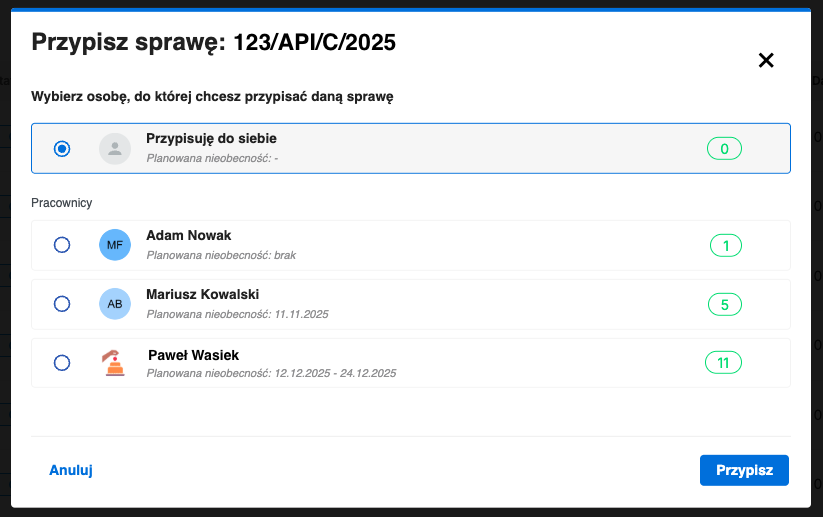
Assignment change modal with list of available users and information about their workload
User List
- Complete list of users available in the system
- Information about planned nearest absence for each user
- Counter of currently handled cases for each employee
New Assignee Selection
The modal enables selection of a user to whom we want to transfer the task, with full context of their availability and workload.
Task Basket Benefits
- Central location for managing all tasks
- Personalized view adapted to individual roles and permissions
- Effective planning thanks to deadline visibility
- Quick orientation in priorities and workload
- Easy monitoring of team progress
Integration with Other Modules
The task basket is integrated with:
- Dashboard - displaying summaries and statistics
- Notifications - automatic alerts about deadlines and status changes
- Reports - analysis of performance and task completion time