Task List
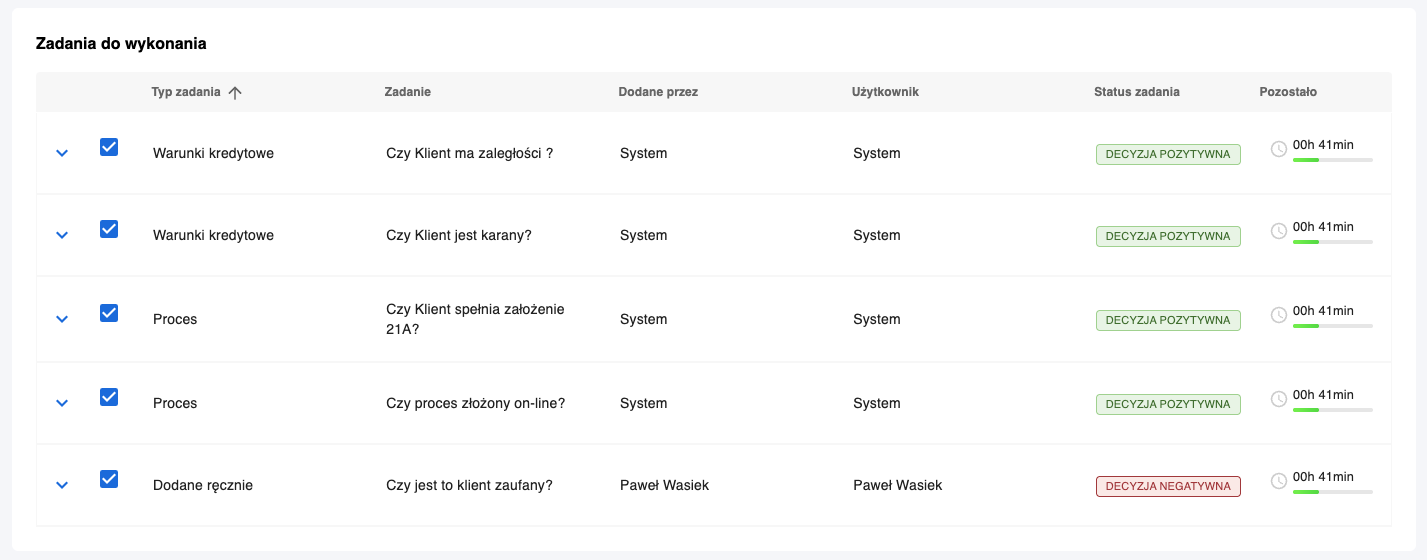
The Task List view allows browsing, filtering, and managing all tasks in the Task Manager system. It presents tasks in a table format with configurable views and quick access to each task’s details.
Module Structure
View Categories
Tasks can be grouped by selected criteria such as:
- Task status
- Task type
- Assigned user
- Priority
Task Information
Each row in the table contains the following information:
- Task name
- Task type
- Task status
- Assigned user or team
- Due date
- Creation date
- Priority
Task List Management
Filtering and Sorting
- Users can filter tasks by status, type, assigned user, priority, and dates.
- Sorting by any column is possible.
Task List Handling Process
- The user opens the task list view.
- Selects filtering and sorting criteria.
- Browses tasks in the table.
- Can navigate to task details, edit, or change status.
Change History
Every action related to a task (e.g., status change, editing) is recorded and available in the task history.
Task Preview
The system allows quick preview of task details without leaving the list view, including:
- Basic task data
- Comments
- Change history